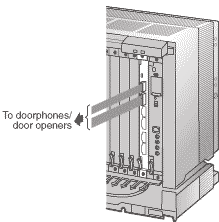
2.9 Connection of Doorphones and Door Openers
2.9.1 Connection of Doorphones and Door Openers
| Maximum of 8 (KX-TDA100) or 16 (KX-TDA200) doorphones (KX-T30865) and door openers can be connected to the Hybrid IP-PBX. |
Note | | Doorphones and door openers are user-supplied. |
|
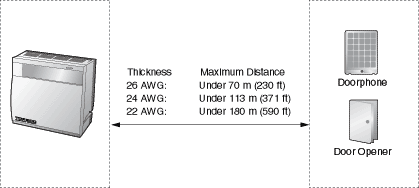
Maximum Cabling Distance
Current Limit for door opener: 24 V DC/30 V AC, 1 A maximum
Installing the Doorphone (KX-T30865)
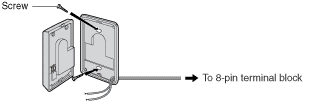
| 1. | Loosen the screw to separate the doorphone into 2 halves. |
| |
| 2. | Pass the wires through the hole in the base cover, and attach the base cover to a wall using 2 screws. |
| |
| Note | | Two kinds of screws are included with KX-T30865. Please choose the appropriate kind for your wall type. |
|
| | | : when a doorphone plate has been fixed to the wall |
| | | : when you wish to install the doorphone directly to the wall |
|
|
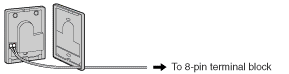
| 3. | Connect the wires to the screws located in the front cover. |
| |
| 4. | Re-attach the 2 halves and re-insert the screw. |
Connection
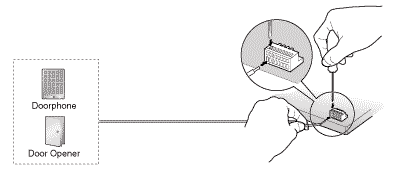
Use 8-pin and 10-pin terminal blocks (included with the card) for connection.
|
| 1. | While pressing down on the hole at the top of the terminal block using a screwdriver, insert the wire into the side hole as shown below. Repeat this procedure for other doorphones and door openers.
Refer to "2.6.2 DPH4 Card" for pin assignments. |
| |
| 2. | Attach the terminal blocks to the connectors of the DPH4 card on the Hybrid IP-PBX. |
| |